
Typical connection instructions:
- Log in to cPanel.
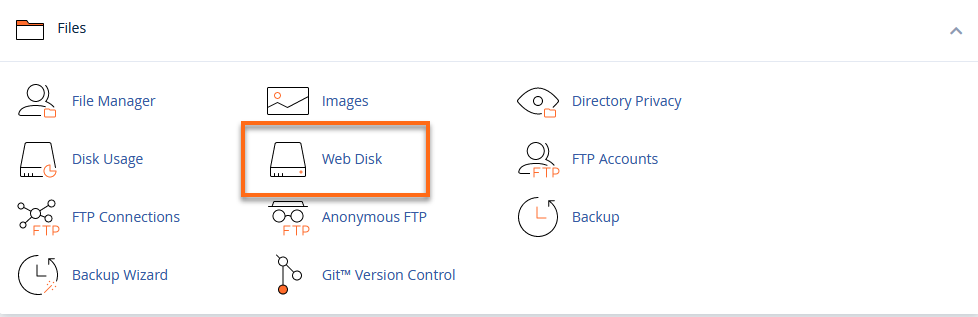
- In the Files section, click the Web Disk icon.
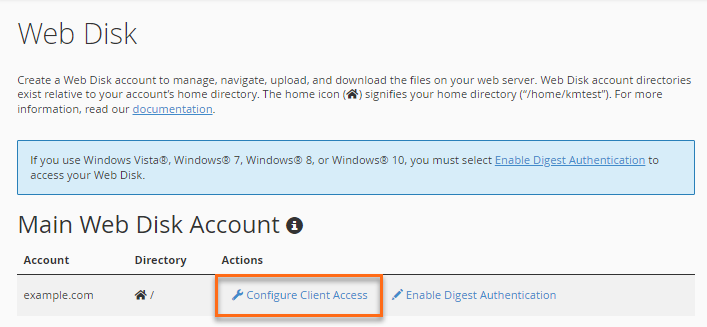
- Scroll down to the Main Web Disk Account section and click Configure Client Access.
- Choose your Operating System (for your personal computer).
Note: The system may automatically detect your computer’s operating system.
- Click Download Configuration Script.
- In the File Download pop-up, click Save File and save the file to your local computer.
- On your computer, open and run the file.
You can now view website files from your personal computer. You can also drag and drop files from your local drive to your website.