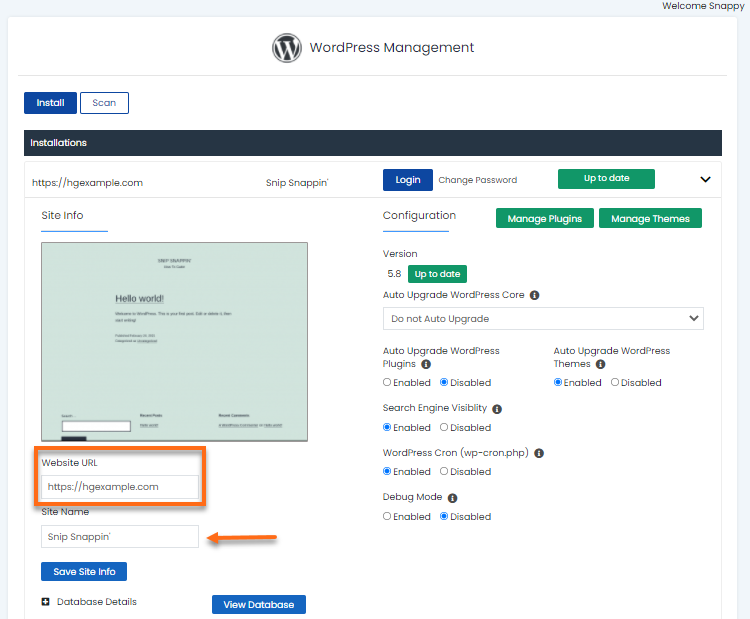
Your website’s site URL can be changed inside the WordPress Manager. This is useful if you accidentally changed your site URL from your WordPress dashboard and eventually locked you out from your admin panel. You can revert it to its previous site URL and get access to your website again.
To change the website URL, provide your site URL in the appropriate field, then hit the Save Site Info button.