- Log in to cPanel.
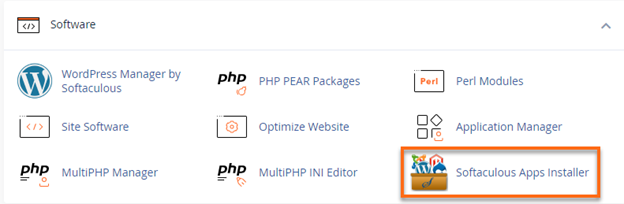
- Under the Software section, click on Softaculous Apps Installer.
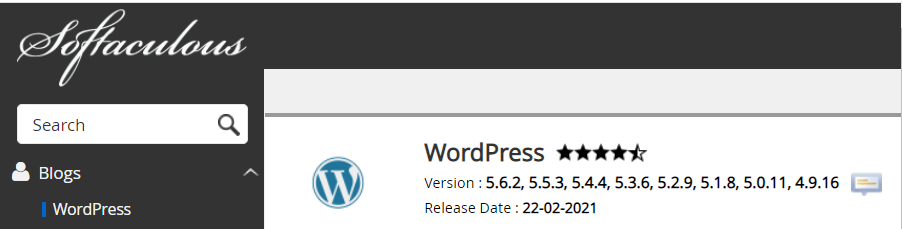
- Select the CMS used for your site. (For this example, WordPress is selected).
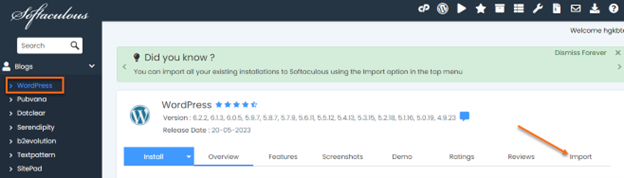
- Click on the Import tab.
- The screen will show 3 options:A. Choose Protocol: Select the protocol type that your website is using.
HTTPS: If your site has SSL.
HTTP: If your site doesn’t have an SSL.B. Choose Domain: Choose the domain where the software is currently installed.
C. In Directory: Enter the directory where the software is installed. If you have installed the software in the public_html, you can leave the space blank. If the installation is in a subdirectory, enter the name of the directory where the software is installed. Please see the screenshots below:
Software is installed in the public_html.
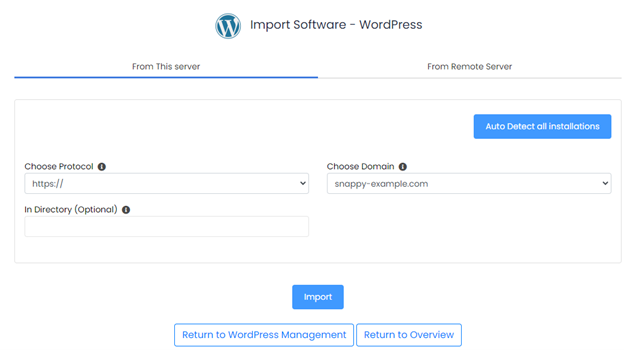
Software is installed in a subdirectory.
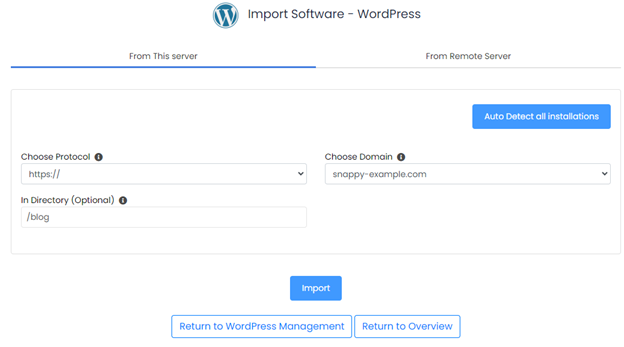
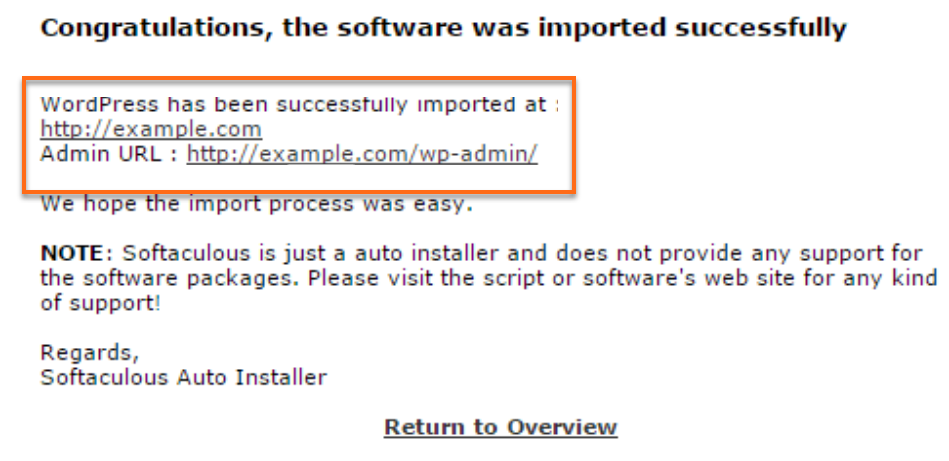
- Click on the Import button. Once done, your software will be imported to Softaculous, where you can manage the backups, staging site, etc., of the installation.

Knowledge Base
Click to Copy