By default, addon domains and subdomains use folders beneath the public_html folder – thus, the root directory for an addon domain named somedomain.com would by default be public_html/somedomain.com.
To change the document root folder:
- Log in to cPanel.
- In the Domains section, click the Addon Domains or Subdomains icon, depending on which you’d like to modify.
- Locate the addon domain (or subdomain) you wish to modify.
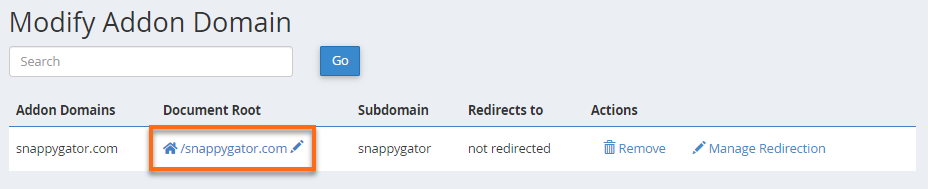
- Click the pencil icon next to the current document root for the domain you wish to modify.
Example for Addon Domain:
Example for Subdomain:

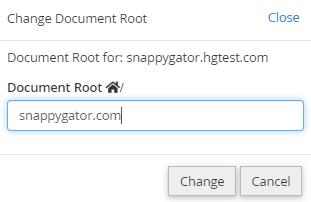
- In the pop-up window, enter the new document root and click Change.