
If you lost your cPanel password or the one provided in the welcome email does not work, you can reset it by login into our billing portal. Also, you can log in to cPanel from the billing portal without Cpanel username and password. This tutorial shows you how to reset your cPanel password in case you have forgotten it.
- Login to Dashboard
- Click on the “My Services”
- Click on the “View Services”
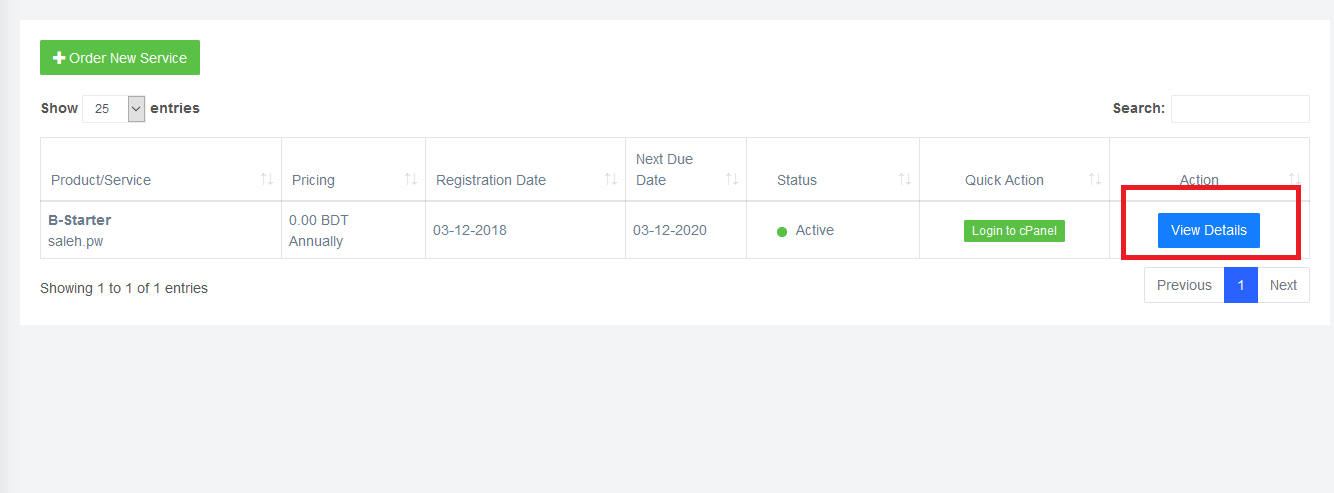
- In the next page go to “cPanel/Direct Admin Login Details” section.
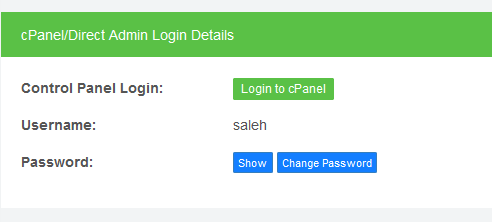
- Now click on the “Change Password” button. A pop up will be appeared. On the “Change Password” screen you will be able to enter a new password for your cPanel account.
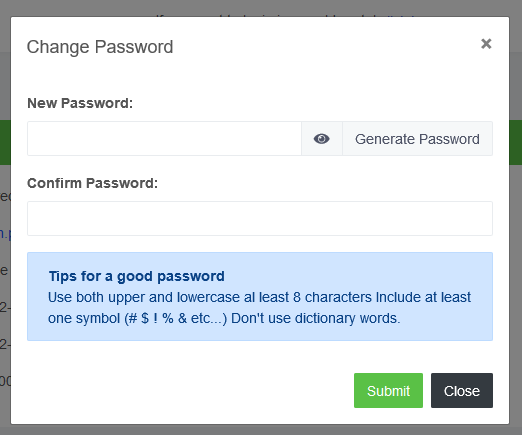
- Type your new password and click on the “Submit” button. You will get a successful message. The new password takes effect immediately. Now you can login using your new password.