
Google allows you to adjust the crawl rate, but you cannot specify different crawl rates for your site’s section, such as specific folders or subdirectories. For example, you can specify a custom crawl rate for www.yoursitesdomain.com and subdomain.yoursitesdomain.com, but you cannot specify a custom crawl rate for www.yoursitesdomain.com/subfolder.
Changing Google’s crawl rate only changes the speed of Googlebot’s requests during the crawl process. It does not affect how often Google crawls your site or how deeply the URL structure is crawled.
To change Google’s crawl rate on your website:
- Access the Crawl Rate Settings page.
- The next page will display two options — Let Google optimize for my site (recommended) and Limit Google’s maximum crawl rate.
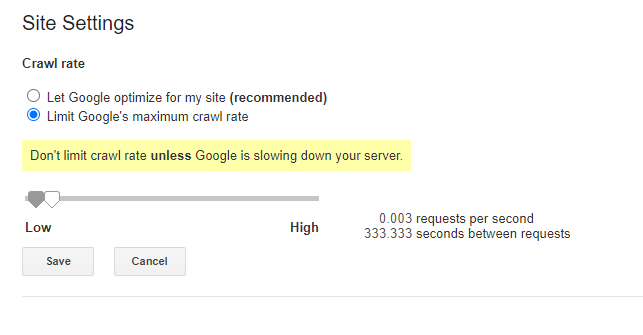
- Depending on the needs of your website, select your preferred action.