- On the Softaculous homepage, click the Backups and Restore icon in the top-right menu.

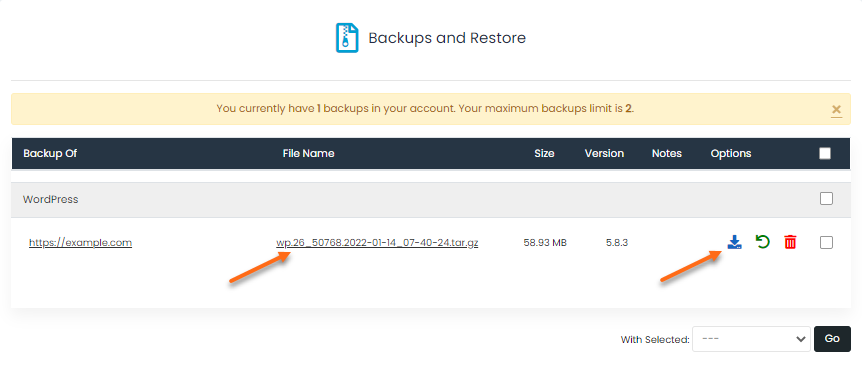
- Locate the website from the list. The backup filename will be displayed under the File Name column.
- Click the backup filename or the download icon to download the backup.
- The backup will be downloaded to your local computer.
