
It is possible to activate monitor for enabled services, allowing your server to auto restart services that become disabled. To enable monitor:
- Log into WHM as root.
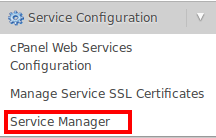
- Navigate to the Service Configuration section and select Service Manager:
- Scroll to the service you wish to enable monitor for.
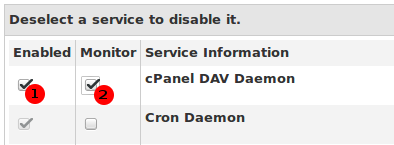
- Ensure that both Enabled and Monitor are checked for the desired service:
- Scroll to the bottom of the page and click Save.