
To enable Hotlink Protection:
- Log in to cPanel.
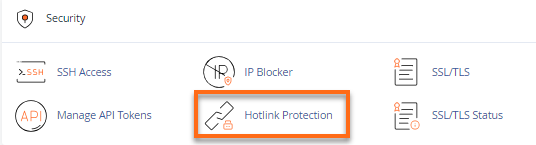
- Look for the Security section, then click Hotlink Protection.
- Make sure the domain name you wish to protect is in the box called URLs to allow access.
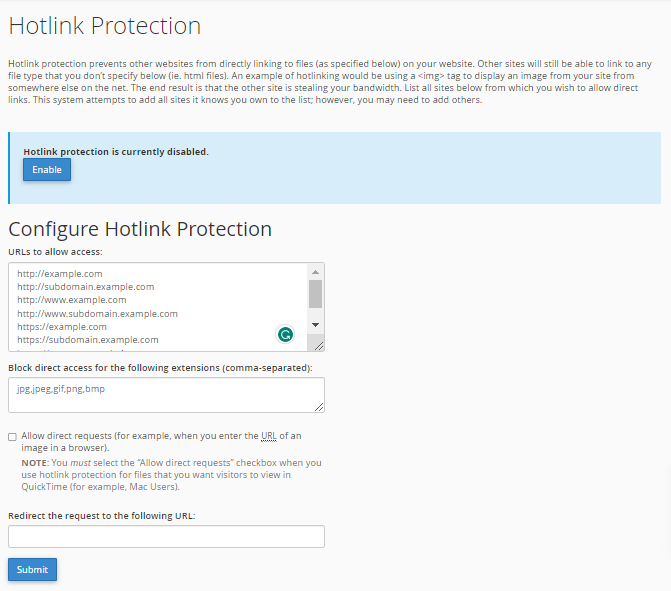
- Provide the extensions you would like to block in the Block direct access for the following extensions (comma-separated).
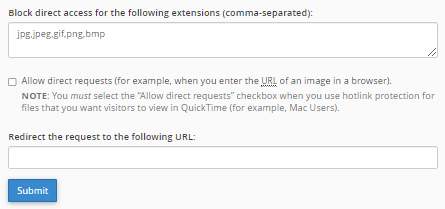
- Leave the Redirect request to this URL box blank unless you want outside users to be redirected to another page. If yes, input the destination URL.
- Hit Submit.
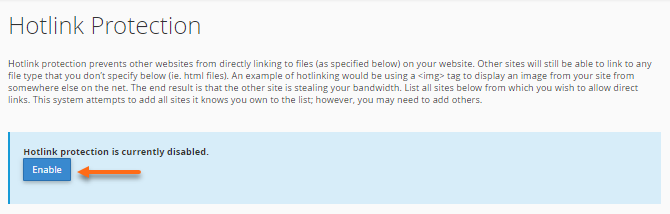
- Scroll up a bit and hit Enable.
- A successful confirmation page will appear.
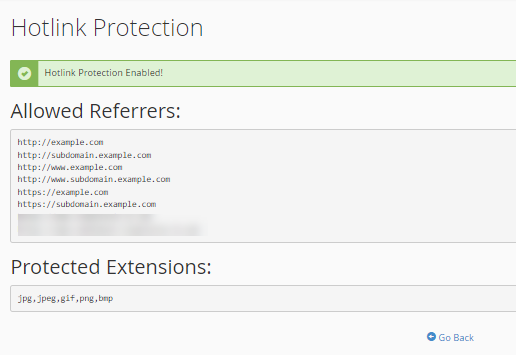
- Click Go Back.
To disable Hotlink Protection:
- On the Hotlink Protection page, click Disable.
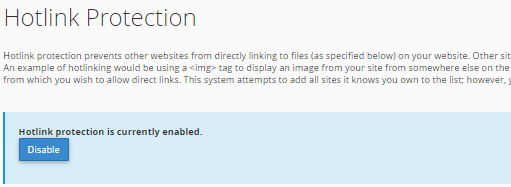
- A confirmation page will be displayed.

You have now protected your images from being hot-linked. Just be sure that all of your additional domains are on the Hotlink list.