
- Log in to cPanel.
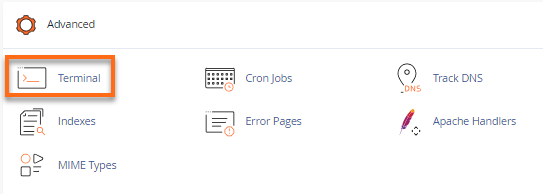
- In the Advanced section, click Cron Job.
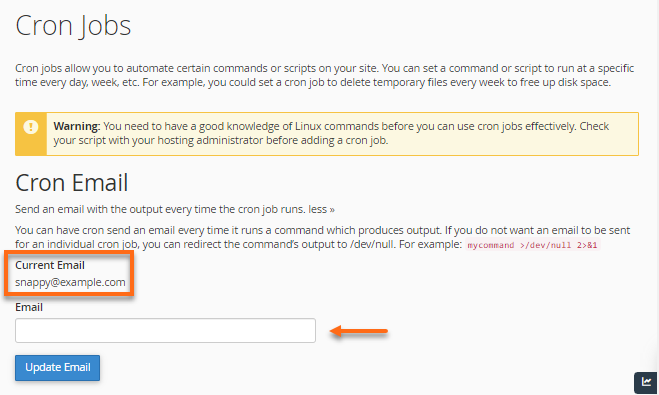
- Under Cron Email, make sure the current email address is valid. If not, enter a new, valid email and click Update Email. You will receive an email after the cron job has finished.
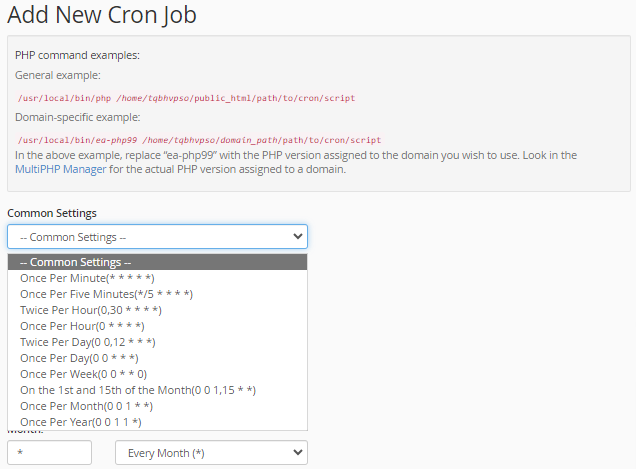
- Under Add New Cron Job, use the Common Settings dropdown menu to choose from a list of regularly used intervals; or set the frequency of your cron job by using the dropdown box next to each time unit. Common settings range from every minute to once a year.
- In the Command field, enter the desired command.
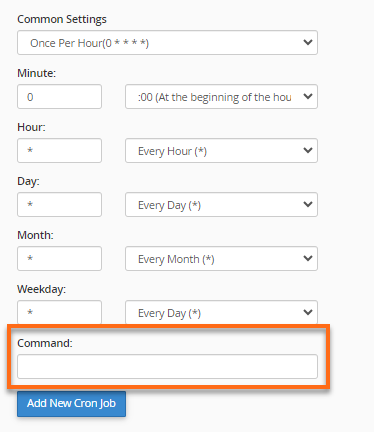
- Click Add New Cron Job.

Your cron job will then execute a file at a specific time, date, and repetition, according to the settings you selected.