
- For Plesk users, the file should already exist in the directory /var/www/vhost/$DOMAIN/etc/php.ini.
- For the cPanel, this file should be created in your Home directory (
/home/username/).
The username is your actual cPanel username, and $DOMAIN is your actual domain.
To create a new php.ini file in your cPanel:
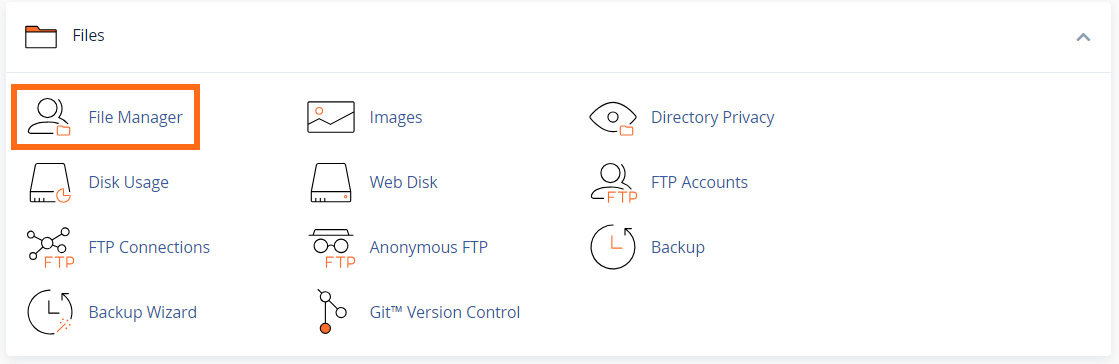
- In the Files section of your cPanel, click on the File Manager icon.
- Select the root directory for your site. The default for the primary is public_html.
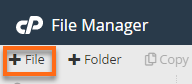
- Click the + File button at the top left of the page.
- In the pop-up box, enter php.ini in the New File Name field. Make sure the root directory is in the bottom box.
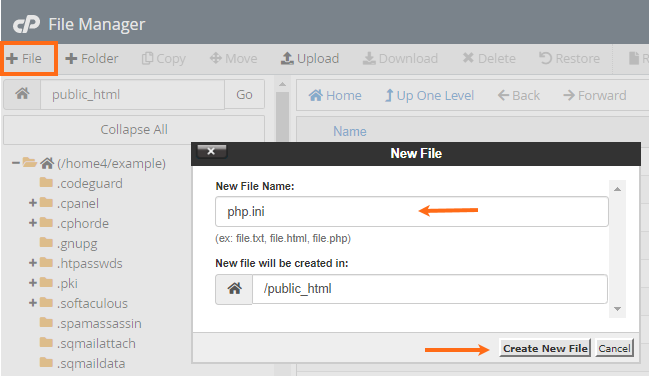
- Click Create New File.
- Locate and right-click the new php.ini file and select Edit, then click the Edit button again.
- You can now input the contents of your php.ini file. Click Save to save your changes.