
- Log in to your cPanel.
- Look for the Metrics section, then click on Visitors.

- Locate the domain name to view its recent visitors, then click the magnifying lens icon.
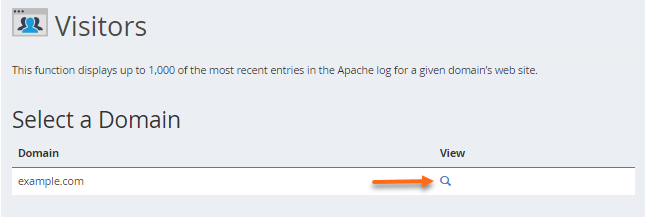
- The next page will show you the IP addresses of your site visitors.
Related Articles
-
WordPress News PhotoCard Plugin – Everything You Need to Know
- 0
- 144
-
What to Do If Python, Node.js, or Select PHP Version Is Not Working in cPanel
- 0
- 58
-
How to handle manual payments using slack
- 0
- 100
-
How to Add a Manual Payment in WHMCS
- 0
- 81
-
How to Whitelist an IP Address in WHM
- 0
- 96
-
some common questions and answers
- 0
- 44