
There may be times where you need to change some of the default PHP settings, and below we’ve outlined those steps. However, keep in mind that there are PHP Settings That Cannot Be Changed on our Shared, Cloud, & Reseller hosting.
To modify the PHP settings:
- Log in to cPanel.
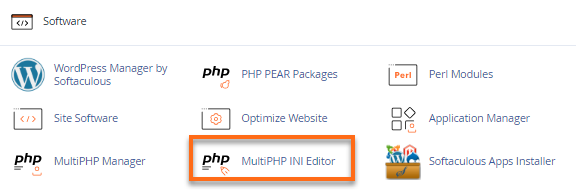
- In the Software section, click on the MultiPHP INI Editor icon.
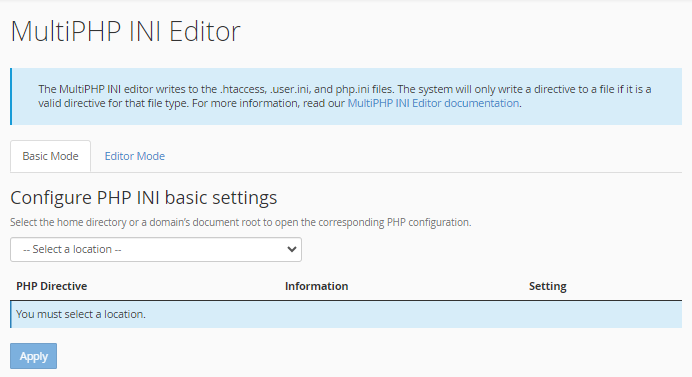
- On the MultiPHP INI Editor page, select Home Directory or the specific domain you wish to update from the Configure PHP INI basic settings dropdown.
- Select the new setting for each PHP directive you would like to change.
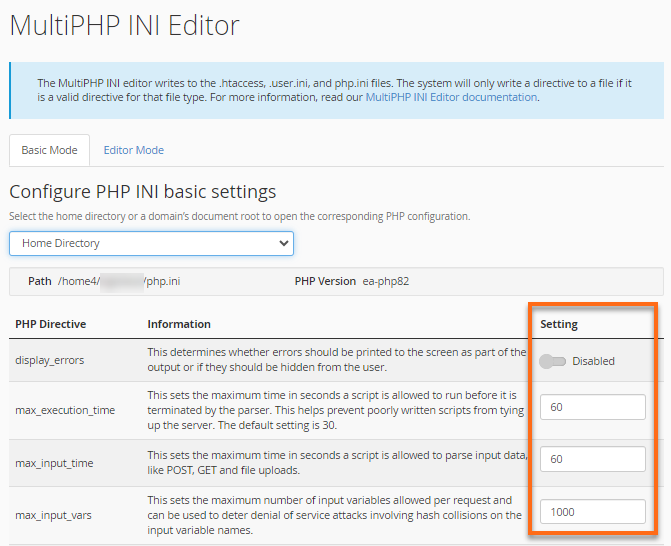
- Click Apply at the bottom to save your changes.