
You can password protect directories (folders) via the cPanel, protecting all the files within the password-protected folders.
Note: At this time, the cPanel can only protect directories, not individual files. Any file that needs protection can be placed in a protected directory. This also does not protect the directories that can be accessed locally or through FTP, SFTP, or Web Disk.
To password-protect a directory:
- Log in to your cPanel.
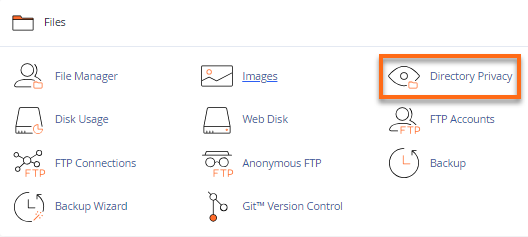
- Look for the Files section, then click on the Directory Privacy icon.
- Locate the name of the directory you wish to password protect.
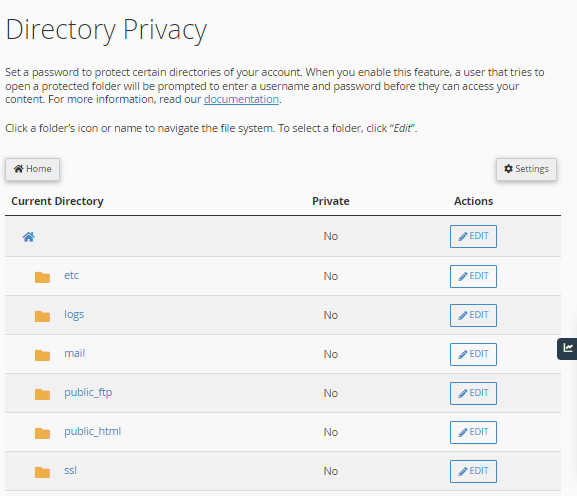
- Click on your directory’s Edit button.
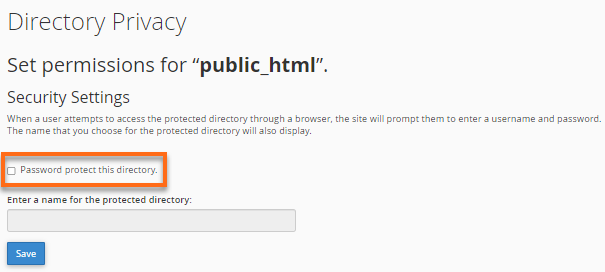
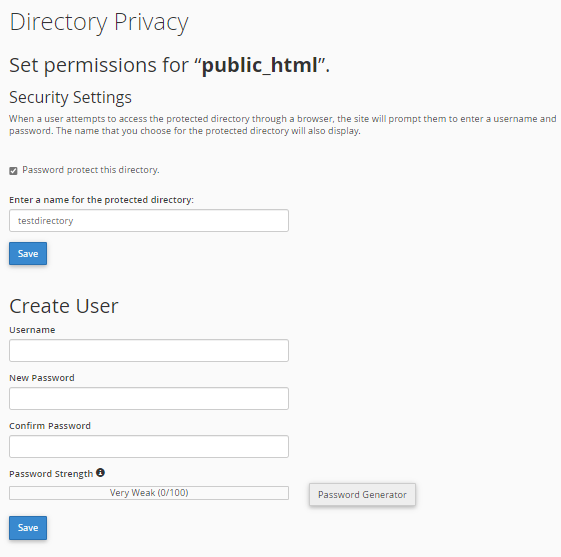
- Put a checkmark on Password protect this directory.
- Enter a name for the selected directory. It is important to note that this serves as the label of that directory. It does not change the directory’s actual name.
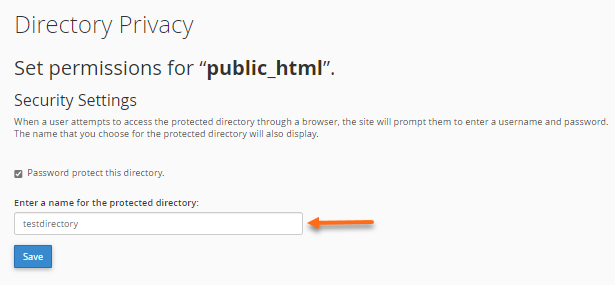
- Click on the Save button.
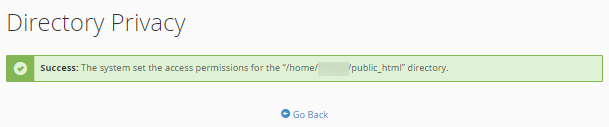
- A confirmation page will appear. Click Go Back.
- You will then need to create a User that can have access to this directory.
- Fill in the Username, New Password, and Confirm Password boxes. You can utilize the Password Generator button to generate a strong password.
- Click the Save button.