
GZip is an application for compressing files. It is a helpful tool, especially when creating a backup of your files and downloading it into your local computer. HostGator shared servers support the use of GZip; however, it is important to note that this is not the same as mod_gzip.
To compress files using GZip:
- Log in to cPanel.
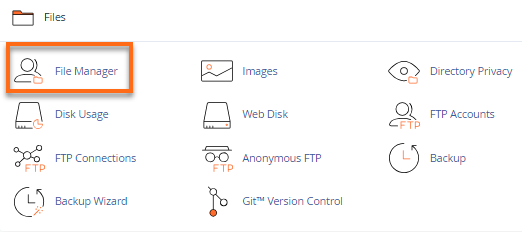
- Look for the Files section, then click on File Manager.
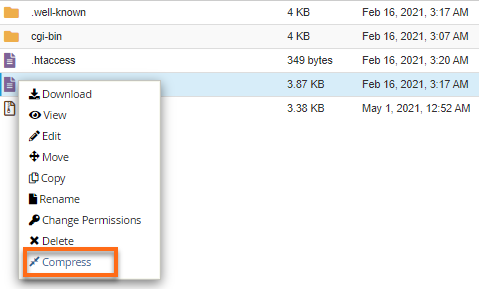
- Select the files and/or folders you want to compress, then right-click and click Compress.
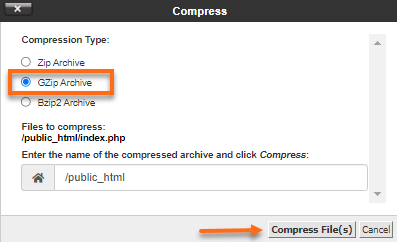
- A pop-up window will appear, asking you about the compression type. Choose GZip Archive, then click the Compress File(s) button.
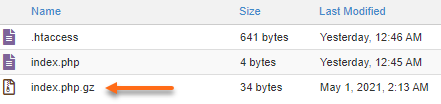
A .zip file is then created in your File Manager.
To unzip a file.
- In your File Manager, locate the zipped file you wish to unzip.
- Right-click, then select Extract.
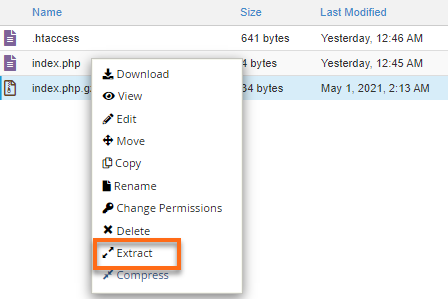
Congratulations! You have successfully extracted the file!