
To change the admin password of your phpBB, begin by accessing phpMyAdmin via cPanel or Plesk.
- Check the database in use for your website, details are listed in the config.php file, located in the folder of your installation.
The database is listed as:
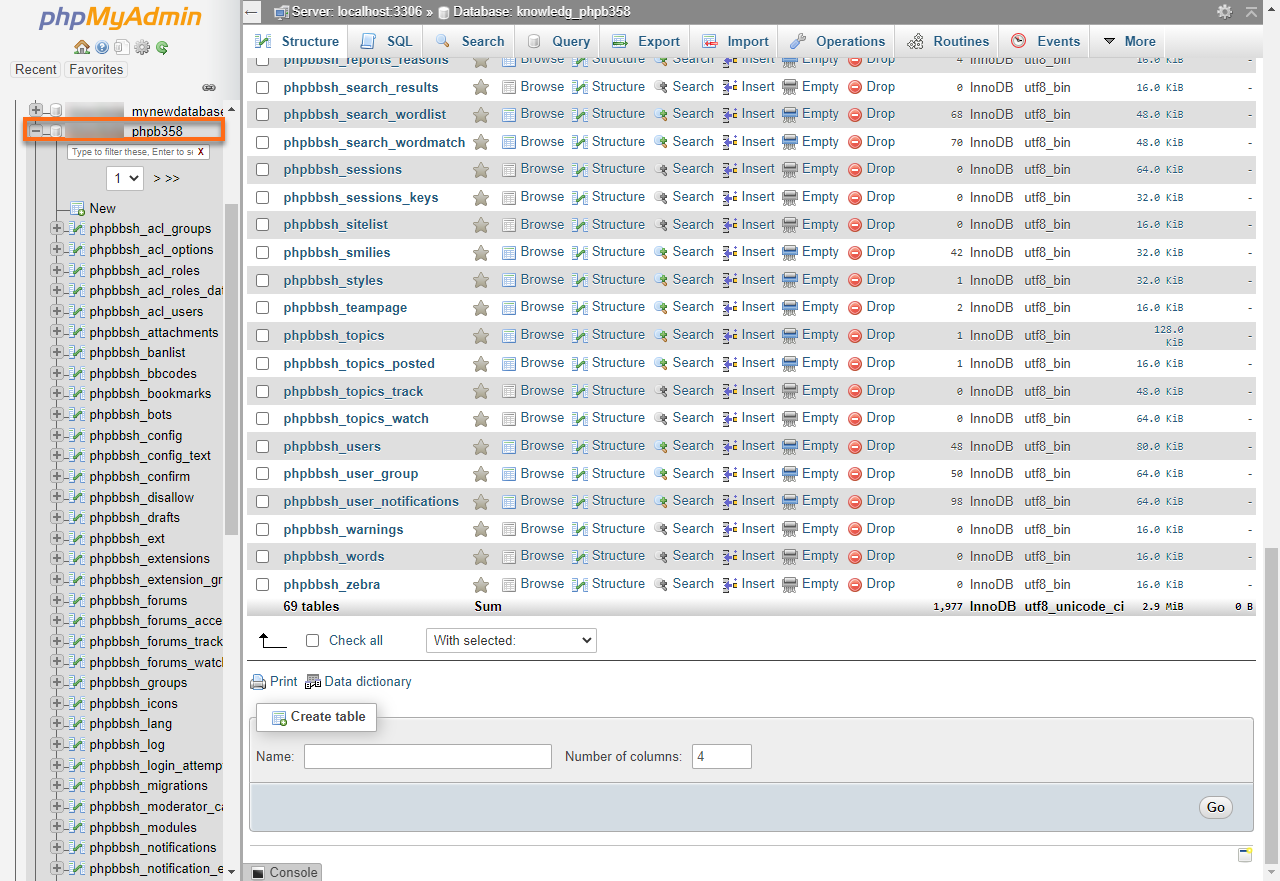
$dbname = ‘user_phpbdb‘; - In the left-hand pane of phpMyAdmin, click the phpBB database. A list of tables in the database appears.
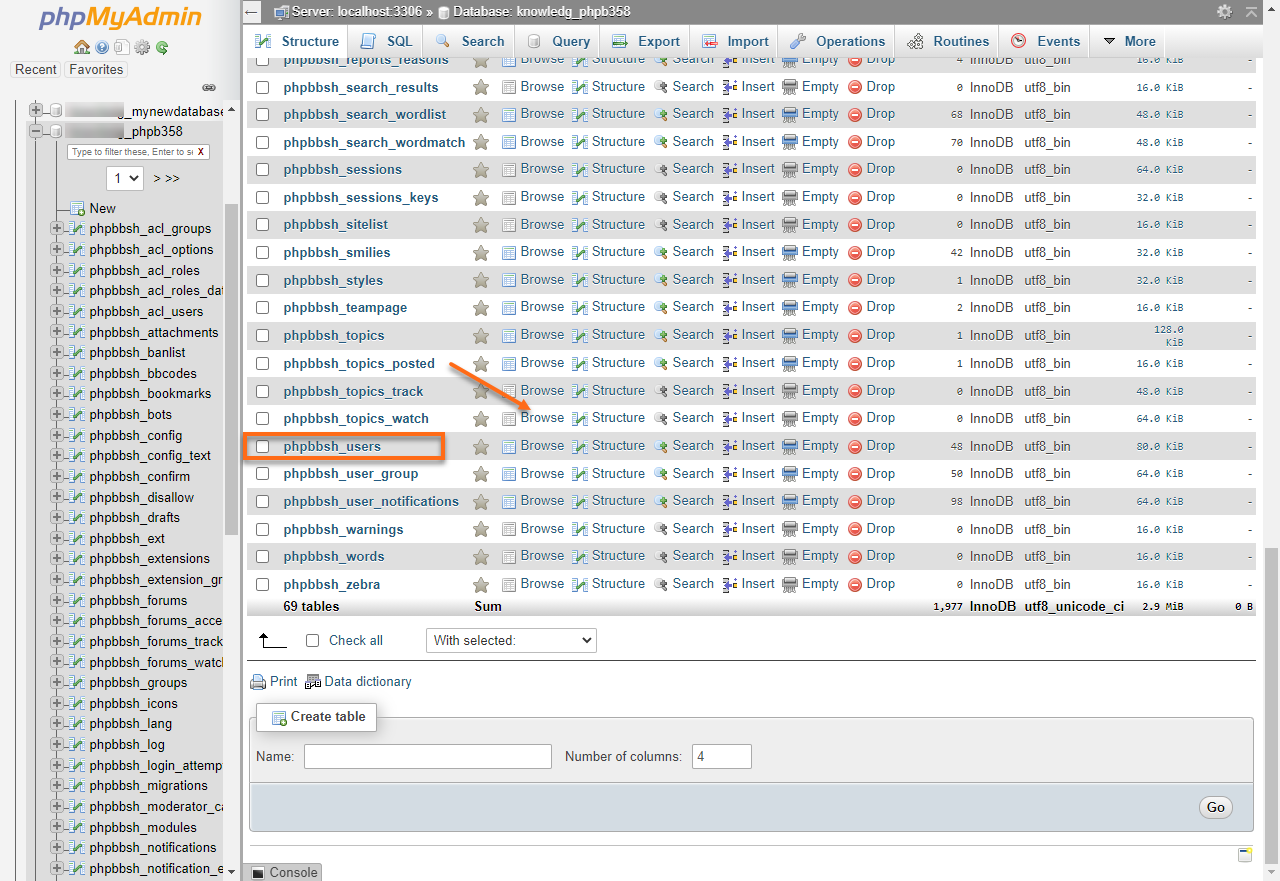
- Click the corresponding table that stores username and password information: phpbb_users, click Browse.
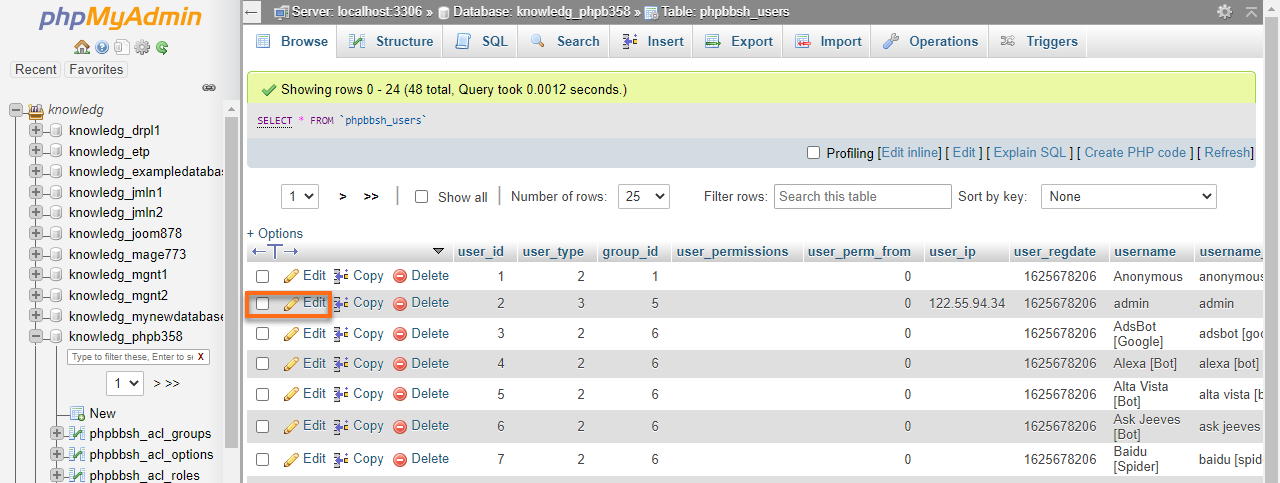
- Find the account of the user that needs to be changed (eg. Admin), click Edit.
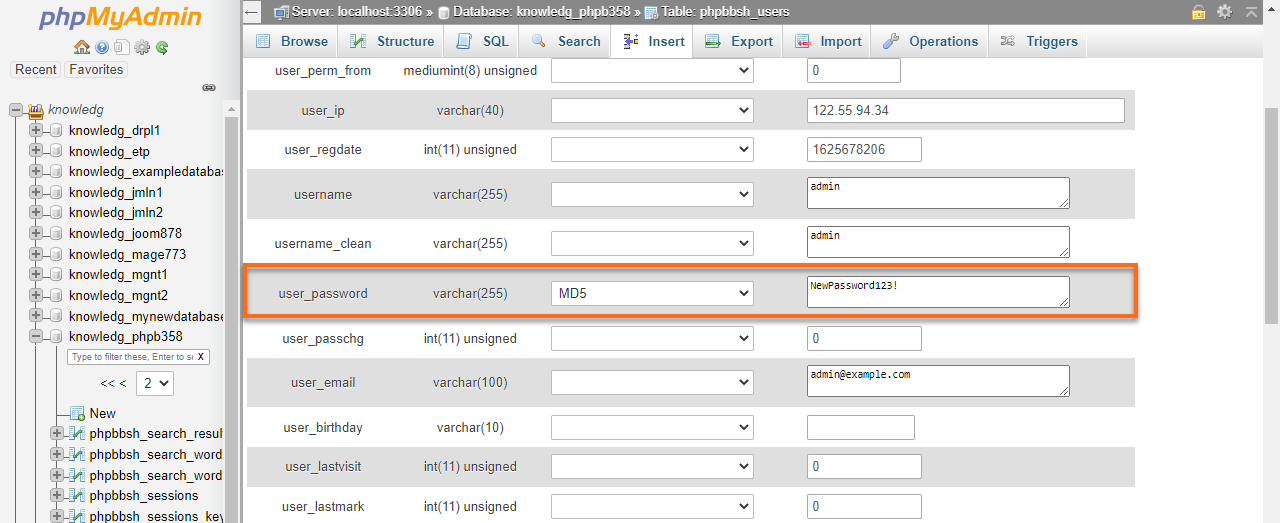
- From the user_password row, click the Function pull-down menu and choose MD5.
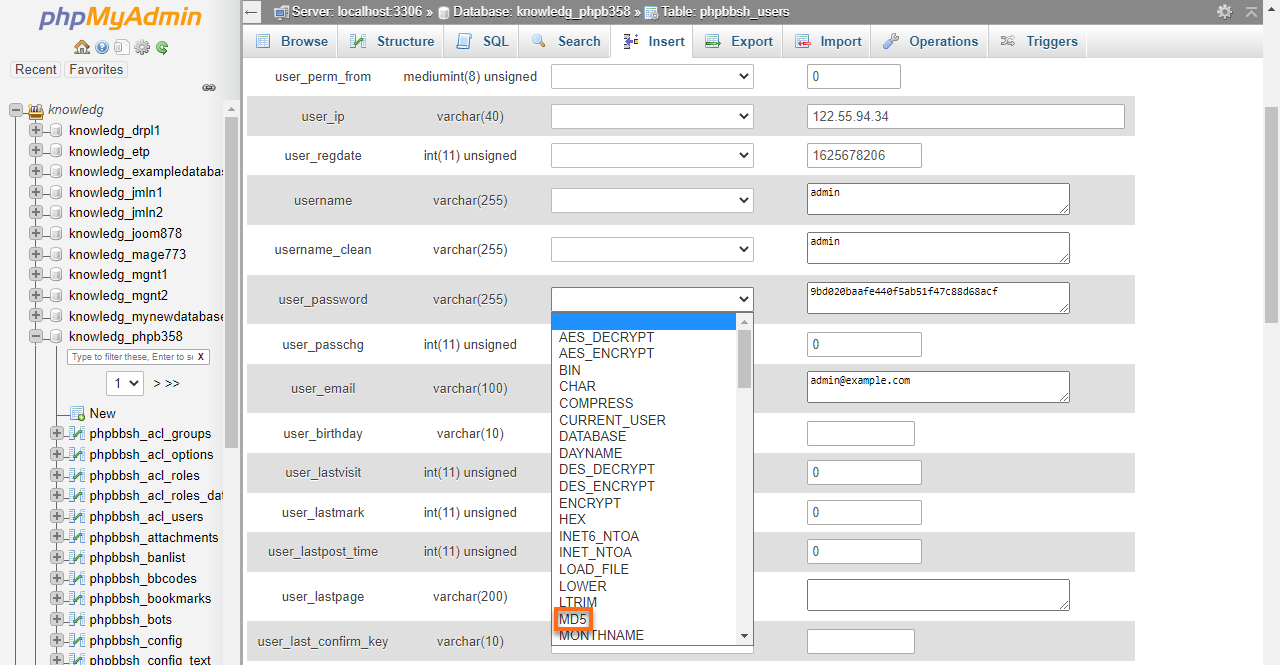
- In the box to the right of MD5, replace the existing encrypted password with your new password in plain text.
- Click the GO button located towards the bottom of the page.
