How to Restart a Service Manually in WHM
Note: You should NEVER restart a service on a HostGator Shared or Reseller Server.
- Log into WHM as root.
- Scroll the left navigation bar down to the Restart Services section.
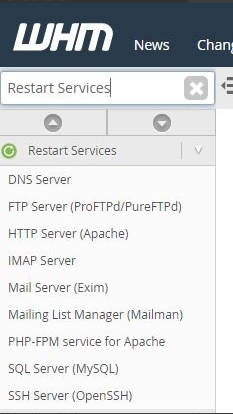
- Click on the name of the service you wish to restart (Example: HTTP Server (Apache)).
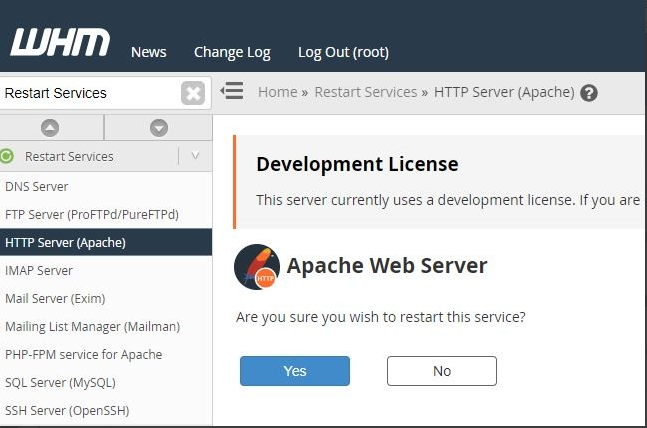
- The WHM will ask if you are sure you wish to restart the service, please click Yes.
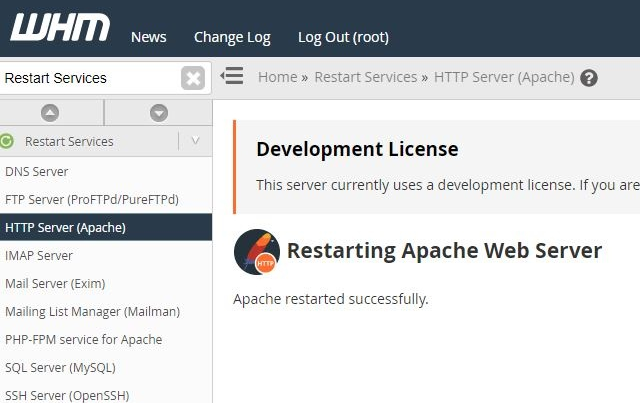
- The WHM will show a successful confirmation prompt.
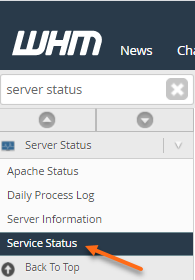
- Ensure the service is now active by using the status command in EIGshell, or by viewing the status in WHM under Service Status.